![City Hive Logo-2.png]](https://support.cityhive.net/hs-fs/hubfs/City%20Hive%20Logo-2.png?width=62&height=60&name=City%20Hive%20Logo-2.png)
- Begin on My Products in your Inventory section of your dashboard
- Click on "Show Tags" located under the search bar at the top right of the page

- Input the tag into the designated custom category field
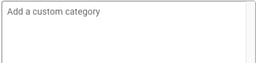
- Click enter on your keyboard to see your tag applied to your product
- Select "Hide Tags" to hide the tags once done
